Three facecam frames
Gradient, Rounded or Splitter, each drawn in your two brand colours around your camera.
Breakers Overlays facecam frames and socials overlays are live OBS overlays that frame your camera in your brand colours and rotate your social handles on screen, alongside a ticker, banners and a price tag.
Your face is half the show. Frame it properly, and make sure every viewer knows where to follow you.
£19/month or £169/year after your trial · everything included · Last updated: November 2026
 LIVE
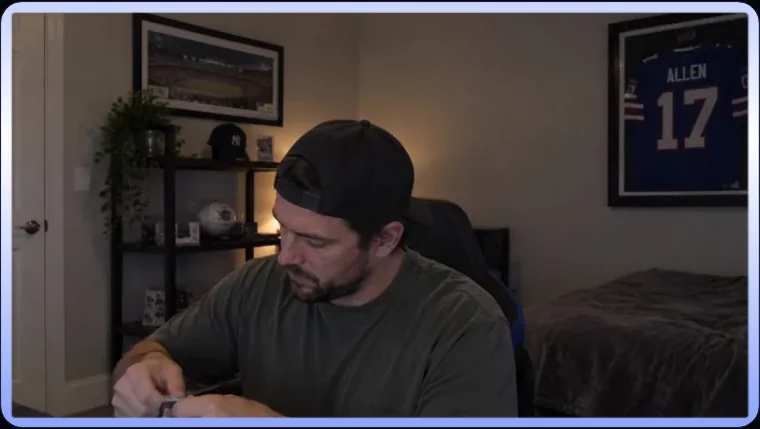
Gradient, Rounded or Splitter, each drawn in your two brand colours around your camera.
A button or a scroller that rotates your Whatnot, Instagram, TikTok, X, YouTube, Facebook and Discord handles.
Your own promo text on a smooth loop: shipping offers, your break schedule, a giveaway.
Two rotating banners in Carbon, Metal, Noise, Diamond, Gradient, Solid, Hex or Stripe.
Show the price of the next spot or game in a small corner overlay, in your colours.
Upload your logo once and it appears across your overlays.
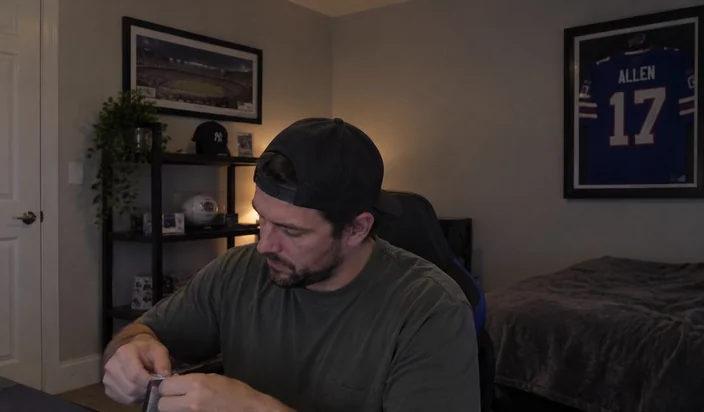
Most breaker streams are vertical, with the camera across the top and the cards below. The facecam frame overlay goes over your camera feed in OBS, so the frame sits exactly where your face is, in your colours. Pick Gradient, Rounded or Splitter, and change it whenever you like; it updates on stream without a refresh.
The socials overlay keeps your handles on screen without cluttering it: as a button that rotates through them, or as a scroller. Add a ticker for promos, two rotating banners in one of eight textures, and a price tag for the next spot or game. Every piece is its own OBS browser source on a transparent background, so you can arrange them however you like.
Put them together with the spot list and on-screen animations and your stream has everything a viewer expects from an established breaker, from one control panel.
Add your logo and pick two colours. Every frame and banner uses them.
Type your handles once and choose a button or scroller.
Add each overlay as a browser source and position the frame over your camera.
Gradient, Rounded and Splitter.
Whatnot, Instagram, TikTok, X, YouTube, Facebook and Discord, as a rotating button or a scroller.
No. Every overlay sits on a transparent background, so there's no green screen or chroma key.
Yes. Changes show on stream within a second or two, with no OBS refresh.
Carbon, Metal, Noise, Diamond, Gradient, Solid, Hex and Stripe.
Yes. Facecam frames, socials, ticker, banners and the price tag are all in the one plan: £19 a month or £169 a year.
One plan, everything included
Every overlay, every sport, Auto-Claim, on-screen animations and every future update. Start with a 10-day free trial.
The trial takes a card: cancel any time in the first 10 days and you won't be charged.
Guides: Whatnot stream setup for beginners · The Whatnot mobile safe area
See every overlay on the homepage or browse break overlays for every sport.