
eBay Live is eBay's live shopping platform, and card breaks are one of the categories it supports. If you already sell cards on eBay, it can put your breaks in front of buyers who already trust the eBay marketplace. This guide covers getting access, streaming to eBay Live from OBS, listing a break and showing a board buyers can follow.
eBay Live is still growing and its rules and features change. Always check eBay's own current seller pages for eBay Live before you set anything up; the steps below are a general guide, not eBay's official instructions.
Step 1. Get access to eBay Live
eBay onboards eBay Live sellers selectively, so you may need to apply or be invited before you can host a show. Case break listings are available to approved sellers. Check eBay's seller pages for eBay Live for the current way in, and make sure your account is in good standing before you apply.
Step 2. Decide how you'll stream
eBay Live supports streaming with a camera through a third-party broadcast tool such as OBS. Streaming from OBS is the better choice for breaks: you can show a clear overhead or front view of the cards, add overlays like a spot list, and use a proper microphone. If you haven't set up OBS before, start with our guide to the best OBS settings for live selling.
Step 3. Set up OBS for eBay Live
When you schedule a show to stream from a broadcast tool, eBay gives you the stream details to enter in OBS. In OBS, open Settings, then Stream, choose a custom service and paste in the server and stream key eBay gives you. Keep the key private, and check it before each show, since stream keys on live selling platforms can change between shows.
Build your scene: your camera, your microphone, and any overlays as Browser Sources. Test the stream before going live to buyers.
Step 4. List the break
Create the break listing following eBay's rules for case breaks, with a clear description of the product, how many spots there are, how spots are assigned and what each buyer receives. eBay's rules for breaks are specific, so read them before your first listing; a clear description protects you and your buyers.
Step 5. Assign spots fairly
Every break needs a fair way to assign spots. eBay Live doesn't have the same wheel as Whatnot, so check eBay's current rules on how random assignments must be done, and show the assignment clearly on stream. Breakers Overlays has an optional Random spot toggle for platforms without a wheel, which assigns spots for you and shows each result on the board.
Step 6. Show the board on stream
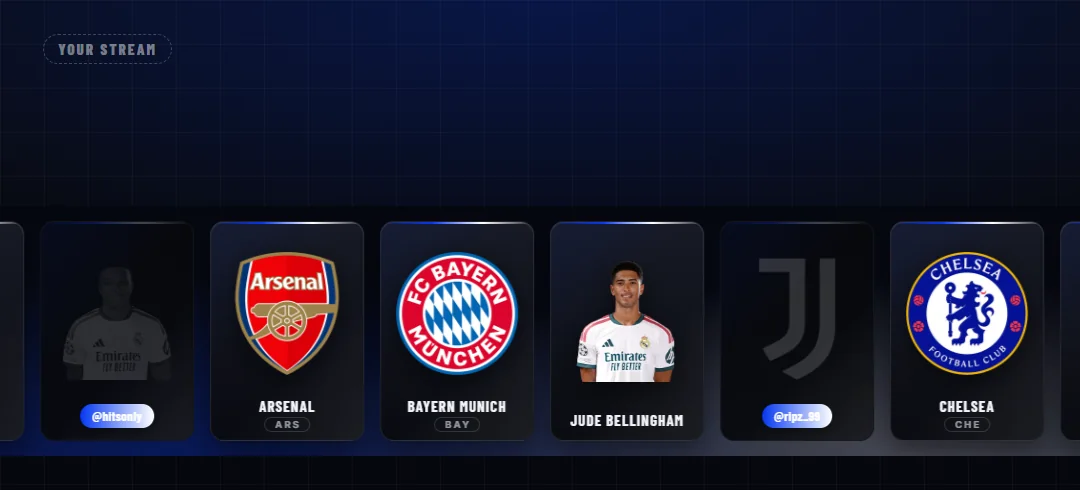
Put your spot list on screen before the first spot sells, so buyers can see every team or hit and who owns it. Update it as spots sell, and keep it visible while you open product. A clear board is the easiest way to build trust with buyers who are new to you. See our guide to showing a spot list; the same ideas work on eBay Live.
Step 7. Open, sort and ship
Open the product on camera, slowly, announcing each card's team or hit and whose spot it is. Mark hits on the board as they come out. When the break is done, recap the big pulls, thank your buyers and ship following eBay's rules for breaks.
eBay Live vs Whatnot for breaks
Both platforms support breaks and both work with OBS. Whatnot has its own randomizer, which breakers must use for breaks there, and posts a message when each spot sells; Breakers Overlays' Auto-Claim uses that to fill your board automatically. On eBay Live you mark spots yourself or use the Random spot toggle. Many breakers stream on both; a board that works on each saves building two setups.
Building trust with new buyers
Buyers on eBay Live may not know you yet. Habits that help: keep the camera on the product from sealed to open; read out every assignment; keep your board accurate; and answer questions in chat about who owns what. A board that shows every team or hit, and every buyer, does a lot of that work on its own.
Pricing breaks on eBay Live
Price your spots the same way you would anywhere: work out the full cost of the product, decide how many spots you're selling and what margin makes sense, and be honest in the listing about what's being opened. On a newer platform with fewer regular buyers, it can help to start with smaller breaks (a single box rather than a case) so spots fill quickly. A break that fills fast feels exciting; one that sits half-empty doesn't, and buyers can see that on your board.
Keep a note of what each break cost and what it sold for. After a few shows you'll know which products and formats work best for your audience on eBay Live, which may not be the same as on other platforms.
Camera and layout for eBay Live
eBay Live viewers watch on phones and desktops, so a clear, simple layout works best. Keep the cards large and in the middle of the screen, with the board beside or above them and your face in a small frame. Use soft, angled lighting to avoid glare on holo cards and chrome, and a microphone close to you so viewers can hear every card you call out. Before your first show, watch a test stream on a phone to check that the board is readable and nothing important is cut off. The same layout advice in our mobile safe area guide is a good starting point.
Pokémon breaks on eBay Live
Pokémon hit-list breaks suit eBay Live well, because each spot is a named card buyers can understand at a glance. See our guide to running a Pokémon hit-list break for how to build the hit list and reveal pulls.
Overlays for eBay Live
Breakers Overlays for eBay Live gives you a spot list, Pokémon hit lists, on-screen animations and a facecam frame, all as Browser Sources in OBS, with the optional Random spot toggle for assigning spots. It's the same plan as for Whatnot and TikTok, with a 10-day free trial.
FAQ
Can I stream to eBay Live from OBS?
Yes. eBay Live supports streaming through a third-party broadcast tool such as OBS. Check eBay's current seller pages for how to get your stream details.
Can anyone run card breaks on eBay Live?
No. eBay onboards eBay Live sellers selectively, and case break listings are for approved sellers. Check eBay's seller pages for the current requirements.
How are spots assigned on eBay Live?
Follow eBay's current rules for breaks. Breakers Overlays has an optional Random spot toggle for platforms without a wheel, such as eBay Live.
Do I need different overlays for eBay Live and Whatnot?
No. Breakers Overlays works on both as Browser Sources in OBS, on one plan.
Is there an eBay Live overlay for Pokémon?
Yes. Breakers Overlays has Pokémon hit lists, chase boards and pull reveals that work on eBay Live.
What should I check before my first eBay Live break?
That you're approved for eBay Live and for case break listings, that your stream details are entered in OBS, that your board is set up, and that a test stream looks right on a phone.
Breakers Overlays is a set of live OBS overlays for card breakers on Whatnot, TikTok Live and eBay Live: spot lists, Auto-Claim, on-screen animations and Pokémon hit lists, from one control panel.
£19/month or £169/year, everything included. The trial takes a card: cancel in the first 10 days and you won't be charged.